Your Wallet
Precog is a fully onchain protocol. Your funds, outcome shares, and winnings are held directly in a wallet, not in a Precog account. Every action you take is a signed transaction on the blockchain.
Types of Wallets
Embedded wallets (email login)
If you sign in with email, Precog creates an embedded wallet for you automatically. No setup required.
Tradeoff: The private key is managed by the wallet provider, not you. You trust that provider’s infrastructure for custody and recovery. If the provider has an outage or shuts down, access to funds may require a recovery process.
Self-custodied wallets (MetaMask, Rabby, etc.)
You hold the private key (and seed phrase) yourself. No third party can freeze or access your funds.
Tradeoff: If you lose your seed phrase, funds are unrecoverable. You are fully responsible for key security.
Embedded wallets reduce friction while self-custody gives full ownership. As your balance grows, we suggest transitioning out from your embedded wallet into a self-custody solution.
Finding Your Wallet Address
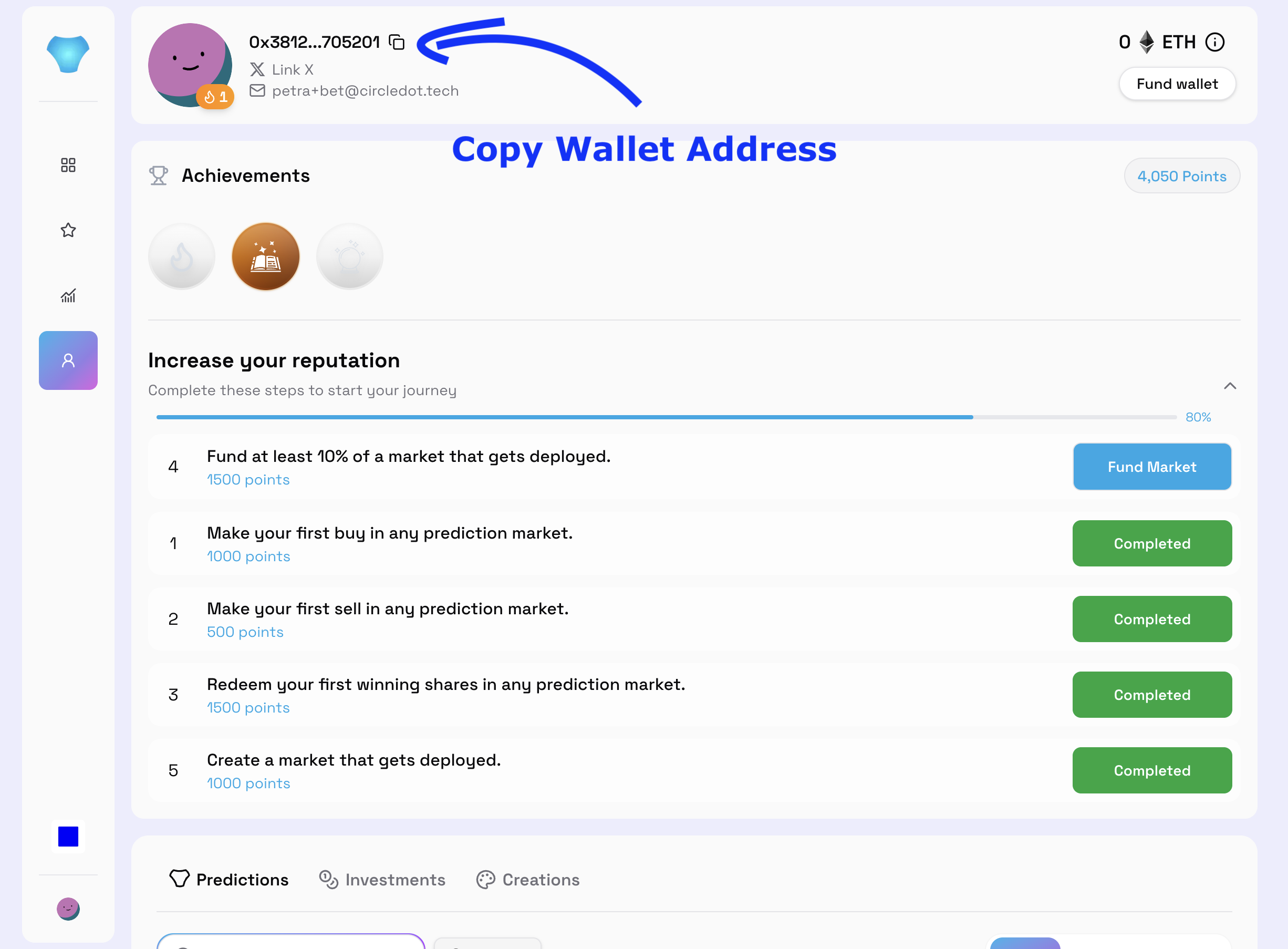
Your wallet address is a unique identifier that starts with 0x. You need it to receive funds from a bridge or onramp.
On Precog: go to your profile. Your address is displayed next to your avatar. Click the copy icon to copy the full address.
Checking Your ETH Balance
Your ETH balance is shown in the top-right corner of Precog, next to the “Fund wallet” button. If it shows 0 ETH, your wallet has no funds yet.
Precog is multichain. Clicking the balance indicator lets you see how much ETH you hold on each supported network (Base, Ethereum, and Arbitrum) separately, so you know exactly where your funds are before bridging or trading.
You can also paste your 0x address into Etherscan to see your full balance and transaction history.
Ready to add funds? See Getting Funds onto Precog.