Market Simulator
The Market Simulator lets you model a prediction market without risking real funds. Adjust parameters, run simulated trades, and see exactly what an LP would earn or lose under different scenarios: before committing any capital.
How to access it
There are three ways to open the simulator:
- From any market’s detail panel: open a market on Precog, then click the lab flask icon in the top-right corner of the panel. The simulator opens pre-loaded with that market’s current configuration.
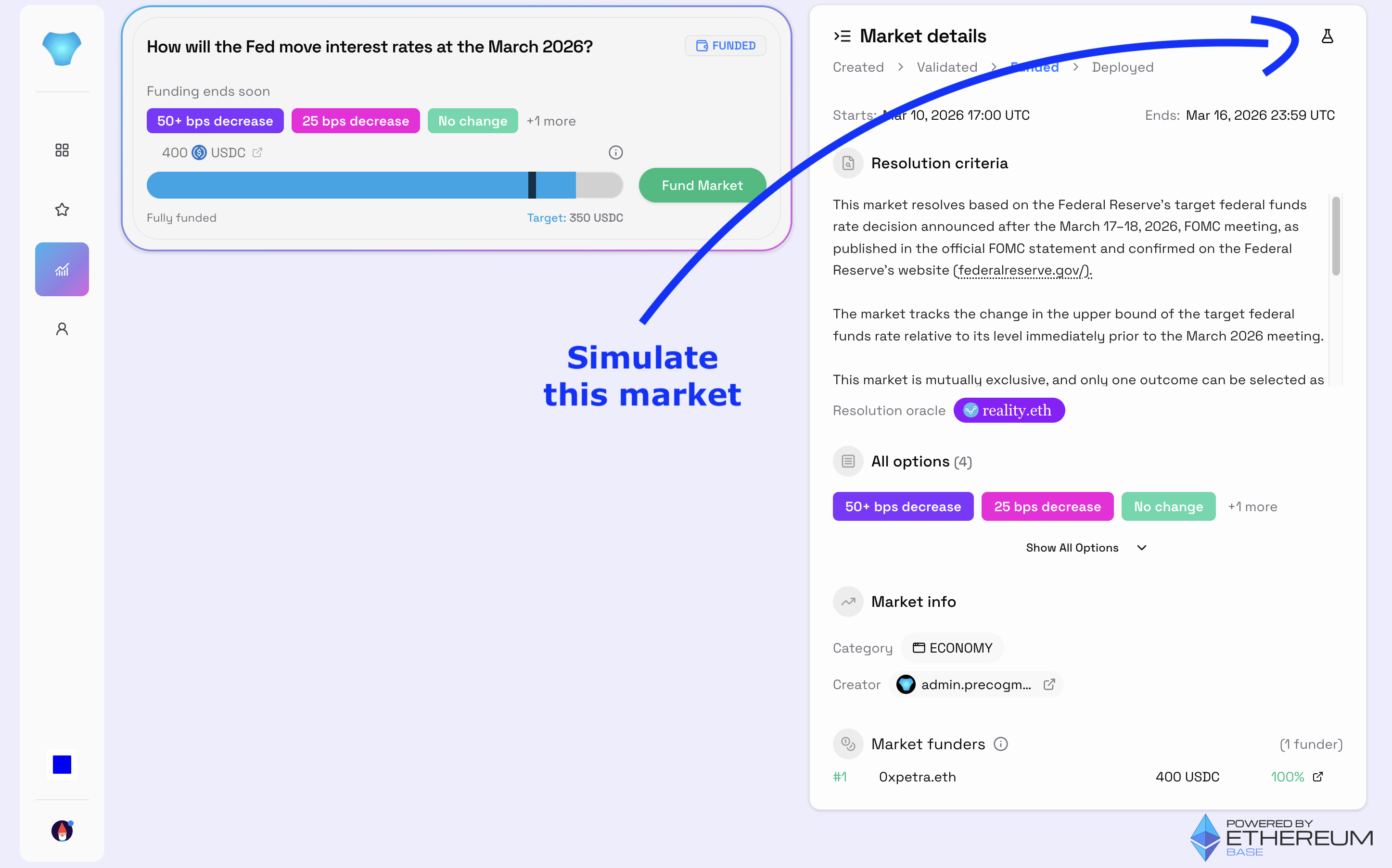
-
From your profile: if you have funded a market, you can launch its simulator directly from your profile view.
-
Directly: visit core.precog.markets/simulator to open a blank simulator you can configure from scratch.
Configuring your simulation
Click the pencil icon in the top-right corner of the simulator to open the Edit Configuration modal. You can set:
- Question: the market question label. This is for your reference only and has no mechanical effect on the simulation.
- Overround: suggested range: 0.02–0.3. Controls the margin built into prices. A higher value makes the market “deeper”: larger trades move the price less, implied probabilities become more stable and resistant to small speculative trades, and LP risk stays capped (typically under 7% loss in obvious markets where one outcome nears 100% certainty). The tradeoff is a higher collateral requirement for LPs to achieve that depth.
- Sell Fee: suggested range: 0–20%. The percentage charged when a trader sells outcome shares back to the market. This fee is split between the LP, the creator, and the protocol at resolution.
- Initial Liquidity: suggested minimum: 1,000 per outcome. The capital seeding the market’s price curve. More liquidity means tighter prices and greater resistance to manipulation.
- Outcomes: add or remove possible outcomes. More outcomes disperse trader bets across more options, which can increase LP profit potential when the market resolves on a low-probability outcome.
Running simulated trades
The simulator includes three trader personas: Alice, Bob, and Charlie: each represented by a tab in the Make your prediction panel.
To place a trade:
- Select a persona tab.
- Choose an outcome from the dropdown.
- Enter a value using the Shares / Cost / Price toggle to specify how you want to size the trade: by number of shares, by total cost, or by target price.
- Click Buy.
To run a batch of random trades across all personas at once, click Simulate trades. This fills the market with synthetic activity so you can quickly see how the metrics evolve.
The trade history chart shows the price curve for each outcome over time as trades accumulate. The trade log at the bottom lists each individual trade with its persona, outcome, shares, and cost.
Reading the results panels
Market config
Displays the parameters currently in effect:
| Field | Description |
|---|---|
| Overround | The margin built into prices |
| Alpha | Derived from Overround; the LS-LMSR sensitivity parameter |
| Initial Liquidity | The capital seeded into the curve |
| Outcomes | Number of possible outcomes |
| Sell Fee | Fee charged on sells |